 TallyKnot
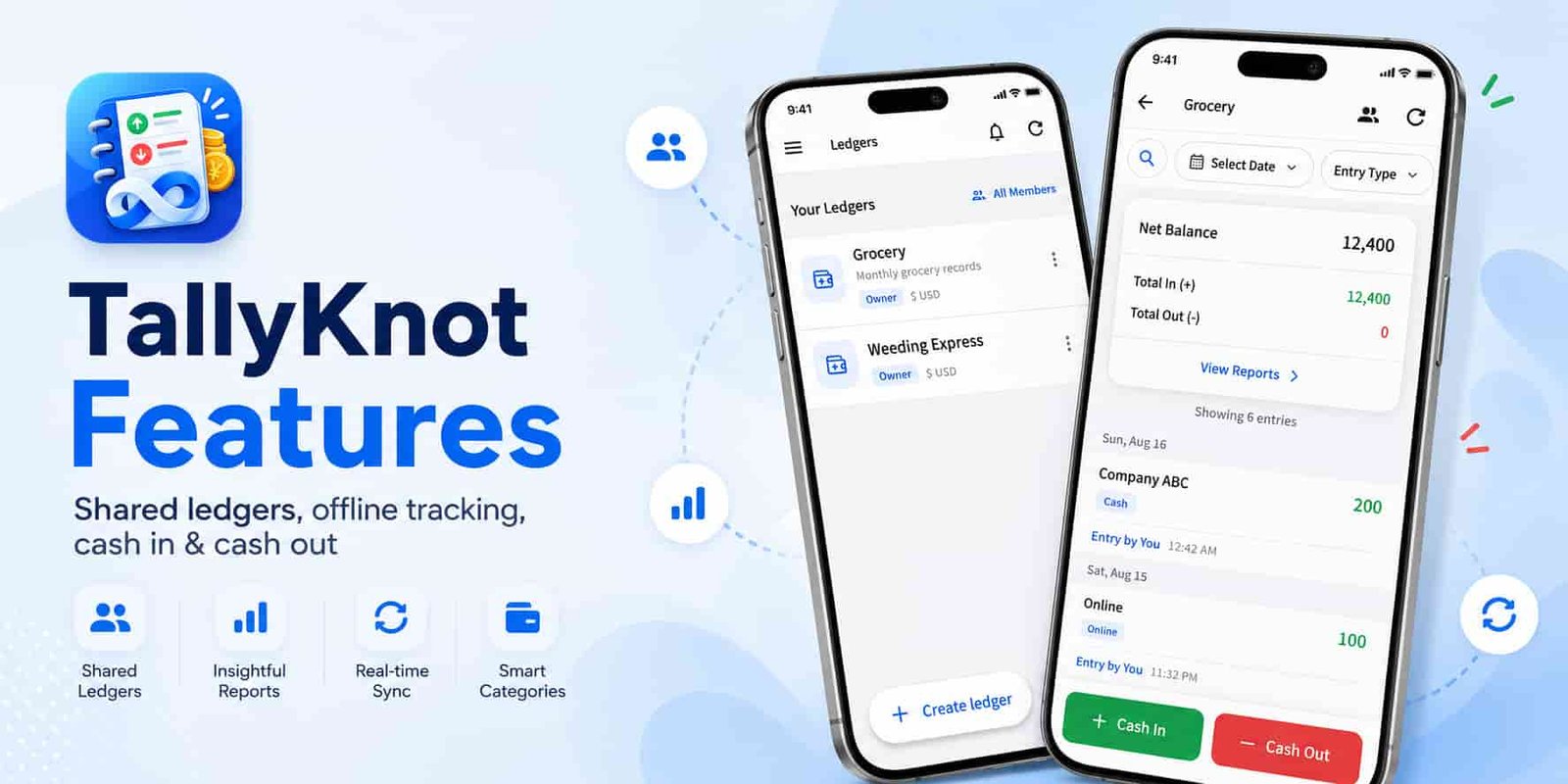
TallyKnot includes more than a simple list of income and expenses. Behind each ledger are tools for organizing transactions, working with other members, keeping records available offline and synchronizing changes between devices.
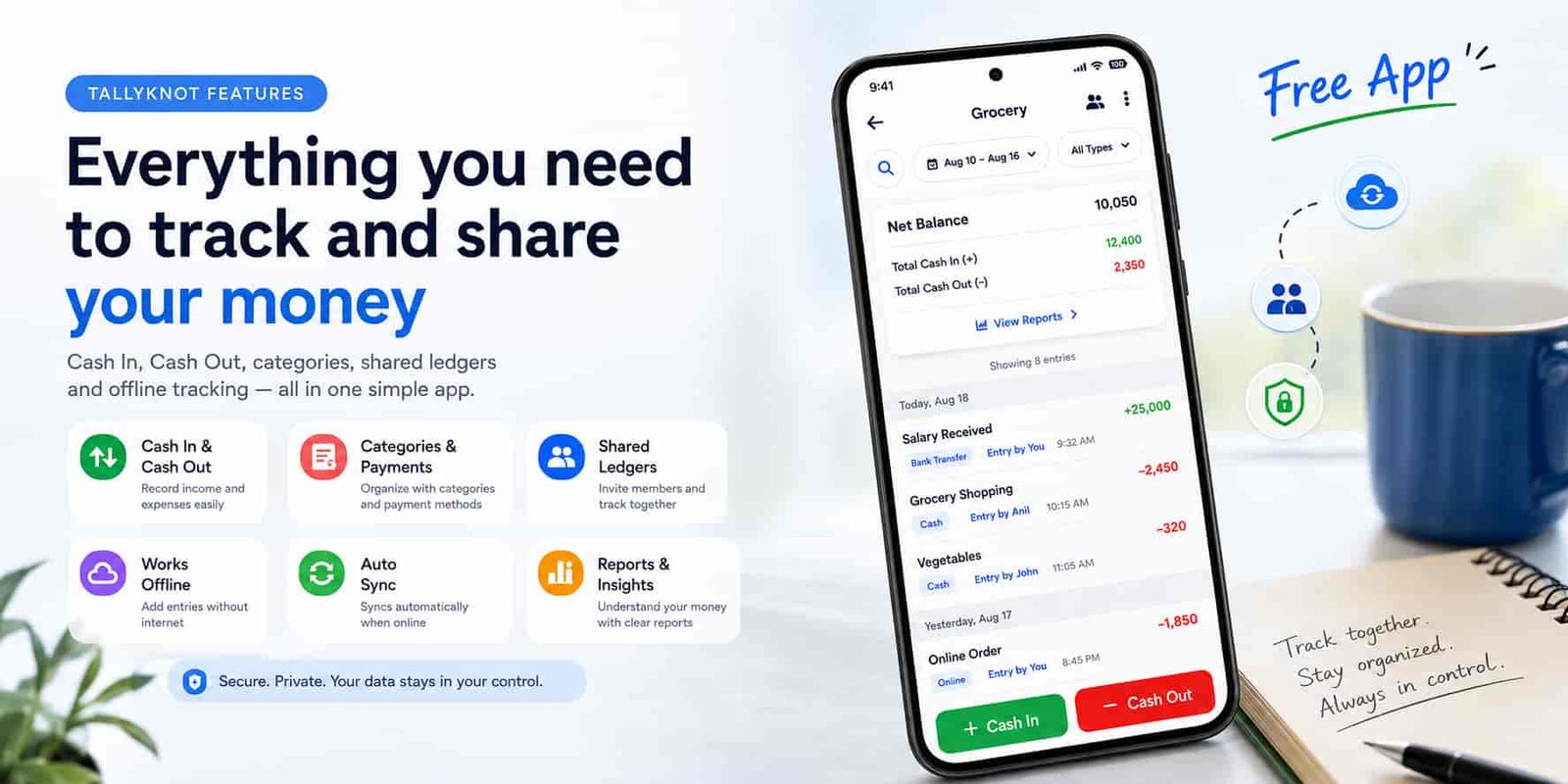
This guide focuses on those features individually. If you already know the basic idea of TallyKnot and want to understand what each part of the app does, this is the place to start.
If you are completely new to the app, start with TallyKnot: A Simple Cashbook and Expense Tracker for Android. This guide goes further into the individual features.
TallyKnot features at a glance
You do not need every feature for every ledger. A personal cashbook may stay very simple, while a shared household or project ledger may use members, roles and synchronization more heavily.
| Feature | What it helps you do |
|---|---|
| Multiple ledgers | Keep unrelated financial records separate. |
| Cash In / Cash Out | Record money received and money spent. |
| Entry details | Add dates, categories, payment methods, notes and references. |
| Categories | Organize transactions differently inside each ledger. |
| Offline recording | Continue supported work without a constant internet connection. |
| Synchronization | Bring local and online records together when connected. |
| Shared ledgers | Let trusted users contribute to the same financial records. |
| Owner and Editor roles | Control what different members are allowed to manage. |
| English and Japanese | Use the app in either supported language. |
Download TallyKnot for free and start tracking your money today. Create ledgers, record Cash In and Cash Out, organize expenses and keep your everyday money records in one place.
1. Ledger creation and customization
A ledger is the main container for financial records in TallyKnot. Instead of forcing every transaction into the same place, you can create different ledgers for different purposes.
When creating a ledger, you can configure several details:
- Ledger name
- Short description
- Currency
- Icon
- Icon appearance
For example, a Grocery ledger can use one currency and visual style while a Business Trip ledger can have its own name, description and icon.
2. What information can be stored in an entry?
TallyKnot entries are designed to work for both quick everyday recording and transactions that need a little more context.
The amount is the central piece of information, but an entry can also include:
| Field | How it can be used |
|---|---|
| Cash In / Cash Out | Identifies whether money was received or spent. |
| Amount | The value of the transaction. |
| Date and time | Records when the transaction happened. |
| Received From / Paid To | Adds the person, shop, customer or other party involved. |
| Category | Groups similar transactions together. |
| Payment method | Records how the transaction was paid or received. |
| Note | Adds useful context in your own words. |
| Reference number | Stores an invoice, receipt or transaction reference when needed. |
These fields are there when you need them. You do not have to turn every small expense into a detailed bookkeeping exercise.
3. Payment methods give transactions more context
Cash In and Cash Out describe the direction of the money, but they do not necessarily tell you how the transaction happened.
TallyKnot also lets you identify the payment method. Available options include methods such as:
- Cash
- Online payment
- Bank transfer
- Card
- No payment
- Other
This can be useful when two transactions have similar amounts but were paid in different ways, or when you want the record to contain more information than the amount alone.
4. Categories belong to the ledger where they are needed
Different types of financial records need different categories. A household and a business trip are unlikely to need exactly the same organization.
That is why TallyKnot categories are connected to an individual ledger rather than forcing one category list across everything.
You can create your own categories, rename them when needed and remove categories you no longer want to use.
A Home Expenses ledger might use Groceries, Utilities and Transport, while a Wedding ledger could use Venue, Food, Clothing and Decorations.
5. What works offline and what needs internet?
Not every TallyKnot action follows the same connectivity rule.
Everyday financial recording is designed to remain useful without a constant connection, while actions that affect shared access or online-only information need internet access.
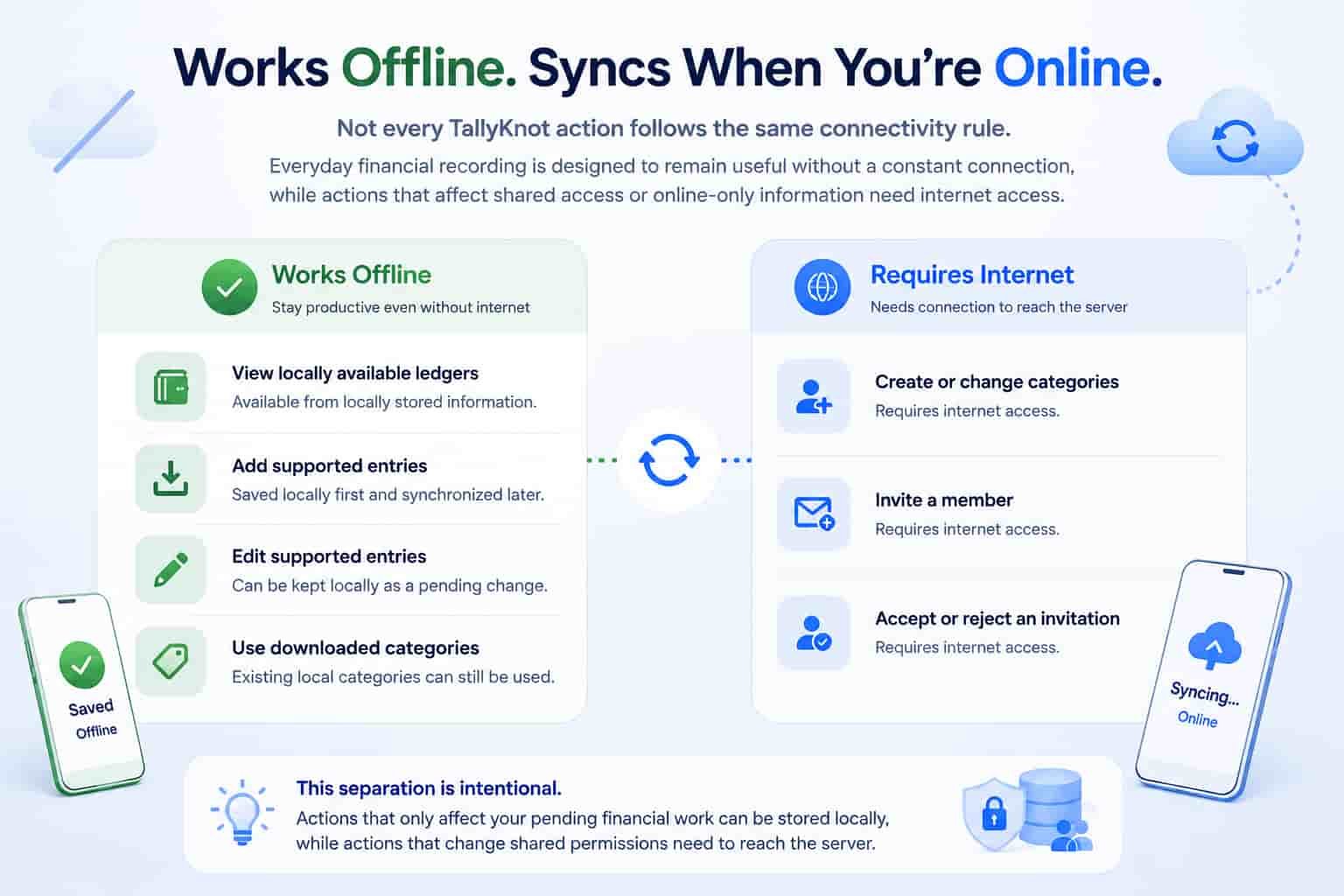
| Action | Offline behavior |
|---|---|
| View locally available ledgers | Available from locally stored information. |
| Add supported entries | Saved locally first and synchronized later. |
| Edit supported entries | Can be kept locally as a pending change. |
| Use downloaded categories | Existing local categories can still be used for entries. |
| Create or change categories | Requires internet access. |
| Invite a member | Requires internet access. |
| Accept or reject an invitation | Requires internet access. |
This separation is intentional. Actions that only affect your pending financial work can be stored locally, while actions that change shared permissions need to reach the server.
6. TallyKnot saves locally before synchronizing
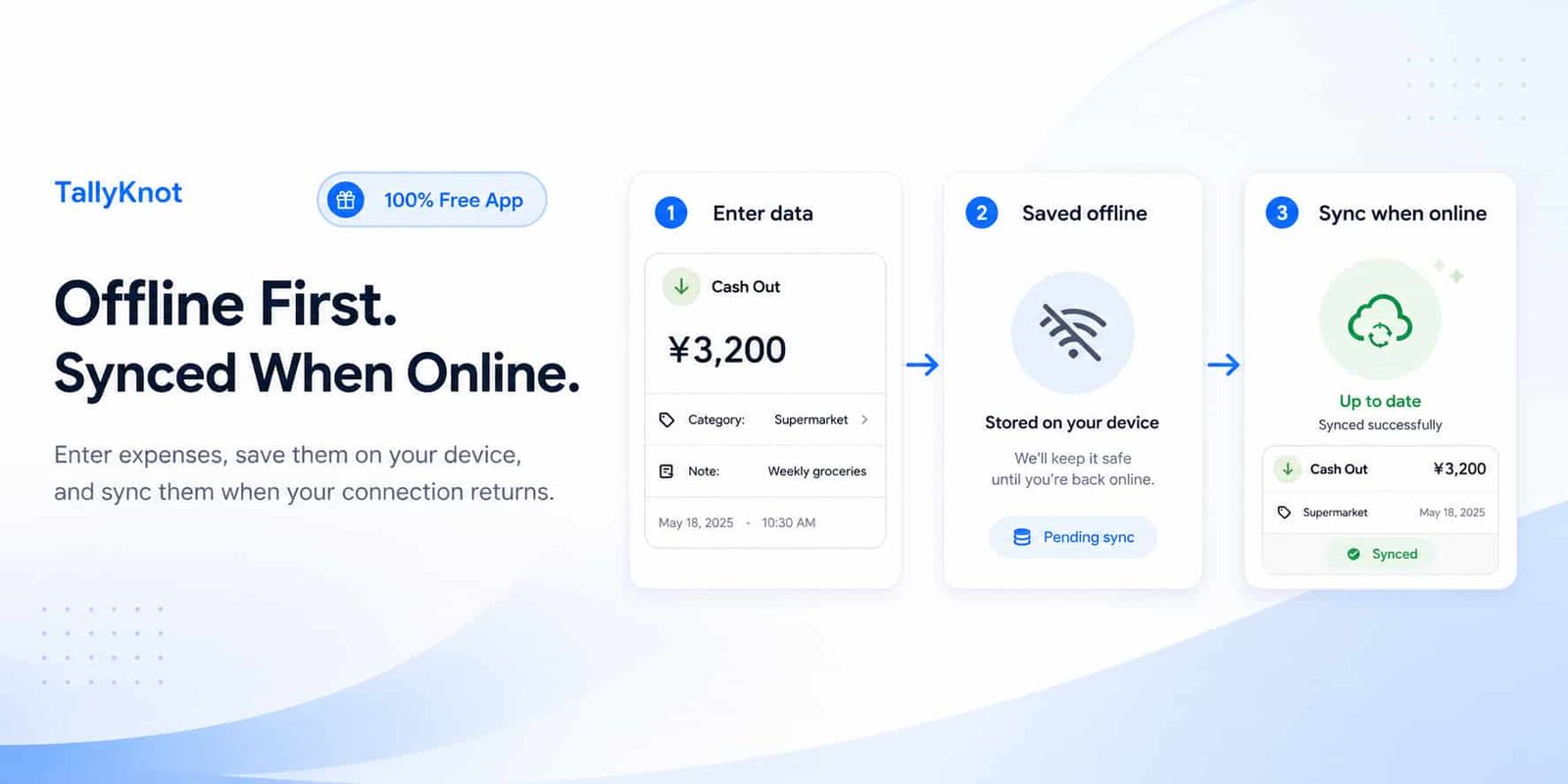
The offline behavior comes from an important design choice: supported changes are written to the local app database first.
That means the app does not have to freeze while waiting for the internet every time you record something.
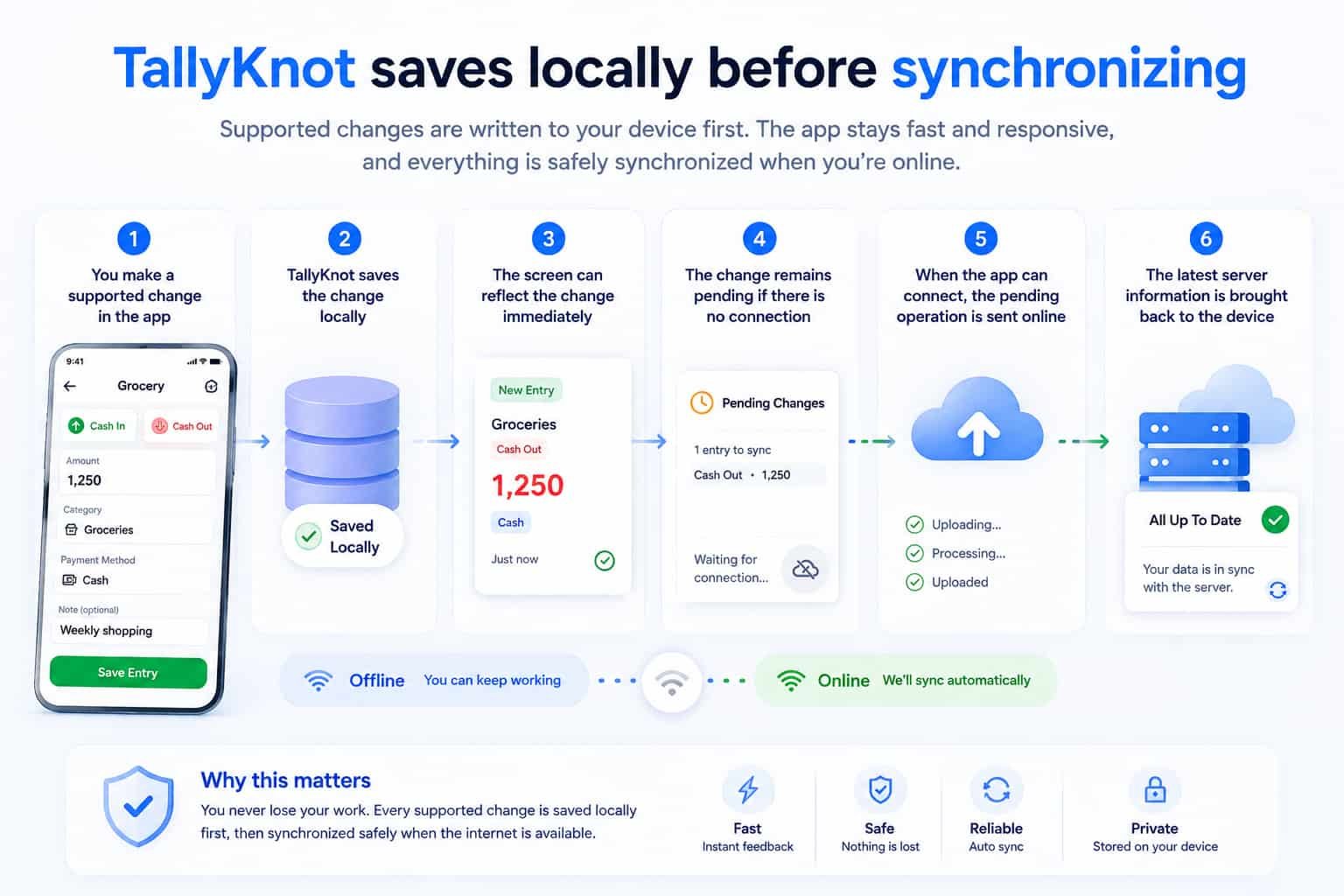
A simplified version of the process looks like this:
- You make a supported change in the app.
- TallyKnot saves the change locally.
- The screen can reflect the change immediately.
- The change remains pending if there is no connection.
- When the app can connect, the pending operation is sent online.
- The latest server information is brought back to the device.
7. When does synchronization happen?
Synchronization is not limited to one hidden event. TallyKnot is designed to check for changes at useful points in normal app use.
Synchronization can happen around actions such as:
- Opening the app
- Returning to the app after it has been in the background
- Internet connectivity becoming available again
- Opening a ledger
- Using the refresh or synchronization control
The purpose is to keep local information useful while still allowing the device to catch up with changes made elsewhere.
If another member adds a transaction from a different device, synchronization is what allows that information to become available to other connected members.
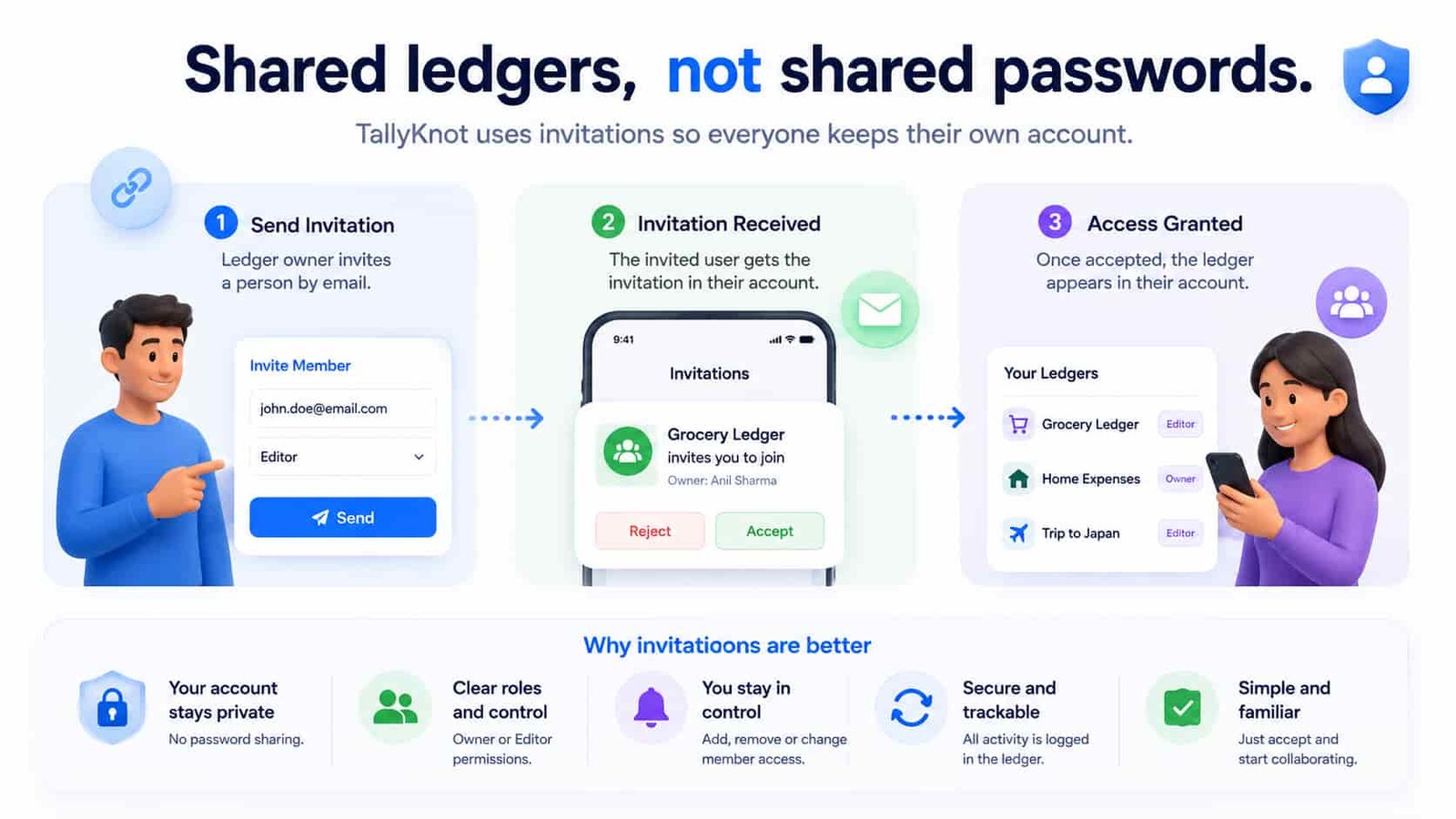
8. Shared ledgers use invitations instead of shared passwords
If another person needs access to one of your ledgers, they do not need your account password or your phone.
TallyKnot uses member invitations. A user with the required permission can send an invitation to another person's email address.
The invited user receives the invitation through their own account and can choose to accept or reject it.
This keeps account access separate from ledger access. Each person continues using their own TallyKnot account.
9. Owner and Editor are different roles
TallyKnot keeps member permissions intentionally straightforward.
| Role | What the role means |
|---|---|
| Owner | The main controller of the ledger, including broader entry and member-management permissions. |
| Editor | A participating member who can contribute entries within the permissions assigned to that role. |
The server also checks permissions when financial changes are synchronized. A button being visible in the app is not treated as the only security check.
10. There are two different Members views
TallyKnot has two member views because they answer two different questions.
Members inside one ledger
When you open Members from a specific ledger, the screen focuses only on that ledger.
This is where information such as the ledger name, member count and member roles is useful. It is also the appropriate place for ledger-specific member actions.
All Members from Home
The All Members screen takes a wider view. It helps you see the people connected to the different ledgers you belong to.
A person can appear once together with the ledgers they share with you instead of creating a separate duplicate person card for every ledger.
11. Shared entries retain information about who created them
A shared transaction list becomes harder to understand if nobody knows where an entry came from.
TallyKnot keeps the original creator associated with the entry. This allows a shared ledger to show who recorded a transaction instead of presenting every entry as if it came from the same person.
This is particularly useful in household, project or group ledgers where several members may be entering information throughout the day.
12. Entry updates use version and synchronization protection
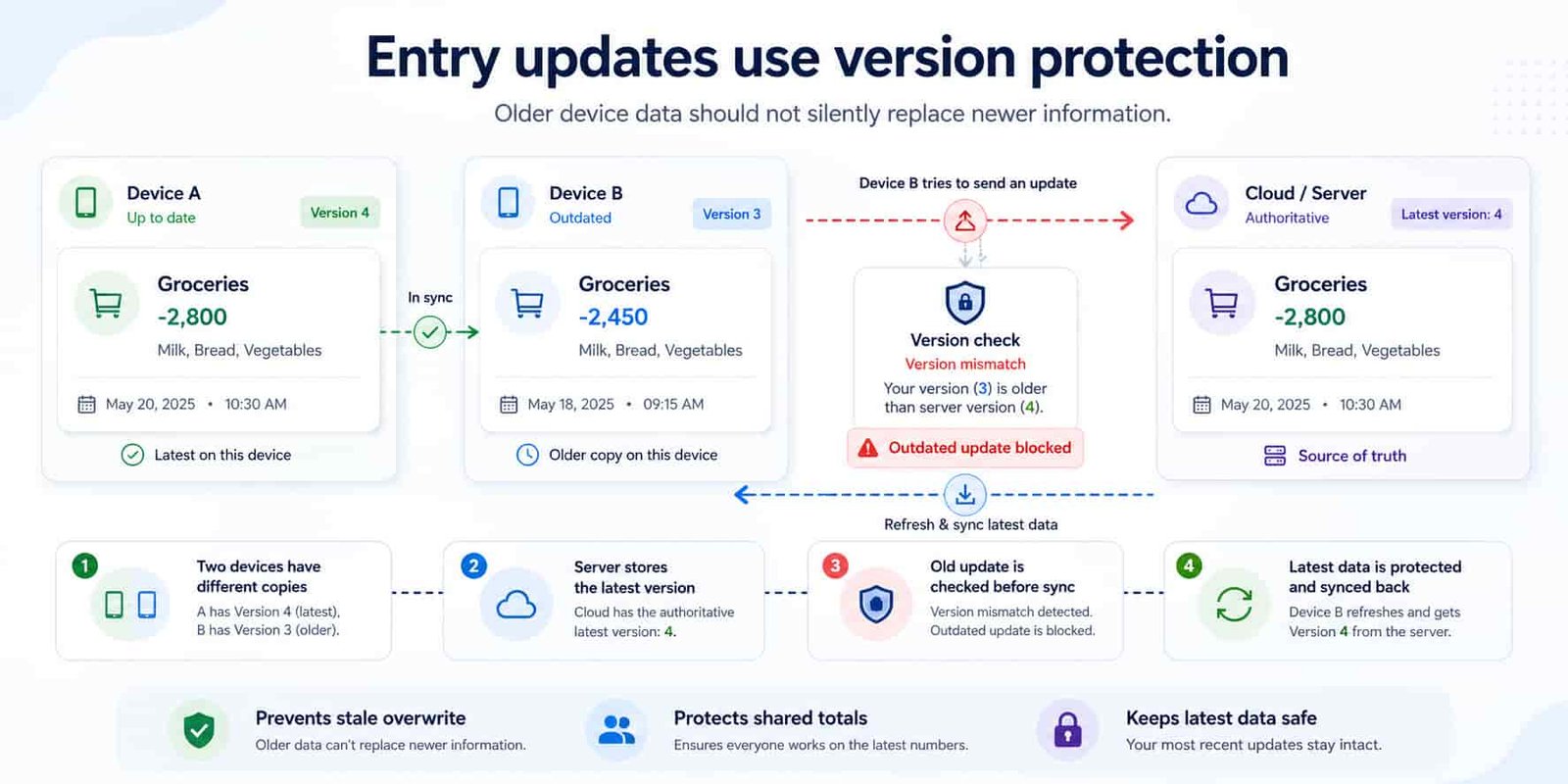
Multiple devices create a challenge that does not exist in a paper notebook. Two devices may temporarily hold different copies of the same entry.
TallyKnot's synchronization design uses server versions and ordered changes to help avoid silently replacing newer information with an older copy.
For example, if an entry has already changed online, an older device cannot simply assume that its outdated copy is still the latest version.
Synchronization is not only about uploading records. It also needs to protect shared totals and prevent stale device information from incorrectly replacing newer data.
13. Deleted entries are treated differently from normal edits
Deletion becomes especially important when several devices are involved.
If an entry has already been deleted, an older edit from another device should not unexpectedly bring that transaction back into the active ledger.
TallyKnot's entry synchronization keeps deletion information as part of the ordered change history so devices can learn that the entry is no longer active.
14. Ledger totals are connected to active entries
TallyKnot does not expect the user to manually update Cash In or Cash Out totals when an entry changes.
The ledger's totals are maintained alongside entry operations. Creating, editing or deleting a transaction changes its contribution to the ledger totals.
The balance can then be understood simply as:
Total Cash In − Total Cash Out = Current Balance
Keeping this logic connected to the entries is particularly important when the ledger is shared across multiple devices.
15. Multiple accounts can use the same device without sharing local records
Offline support means financial information needs to be cached on the phone. That creates another requirement: locally stored information must remain associated with the correct account.
TallyKnot keeps local data separated by account. If one user signs out and another account is used on the same device, the second account should not simply inherit the first user's local ledger records.
This separation applies to the local cashbook information used for offline access and synchronization.
16. TallyKnot supports English and Japanese
The app can be used in either English or Japanese.
Language is a device-level preference for the app rather than something that needs to change the shared financial records themselves.
17. Time-zone handling keeps stored dates consistent
TallyKnot separates the time stored with financial records from the way that time is displayed to the user.
Date and time values are stored consistently in UTC. When the app displays them, they can be converted to the user's selected time zone.
The reverse happens when a user enters a local date and time: the app converts it to the consistent stored form before saving.
This is helpful when a user travels or when shared ledger members use the app from different time zones.
18. Time-zone settings can also synchronize between devices
A user's selected time zone is not limited to one installation of the app.
TallyKnot keeps an online settings record for information such as the time zone. If the setting is changed offline, the local value can be used immediately and synchronized later.
This prevents a newly detected device location from automatically replacing an existing account preference simply because the user signed in on another phone.
19. Account verification and password recovery
TallyKnot includes account tools alongside the financial features.
New accounts use email verification with a one-time code. If a user forgets their password, the recovery flow can also send a verification code so access can be restored securely.
A support link is available around the login and signup experience so someone who is unable to continue has a direct route to help.
20. The app checks for newer versions
Running an old app version can eventually create problems when online services or synchronization behavior change.
TallyKnot includes an app-update check. When a newer published version is available, the app can remind the user that an update is available rather than leaving them unknowingly on an older release.
A practical example: a shared household ledger
Looking at one example helps show how several TallyKnot features can work together without turning the ledger into something complicated.
- Create a ledger named Home Expenses.
- Choose the currency used by the household.
- Create reusable categories such as Groceries, Utilities and Transport.
- Invite another household member to the ledger.
- Record a supermarket purchase as Cash Out.
- Add Groceries as the category and Card as the payment method.
- The other member can add a utility payment from their own account.
- If either person temporarily loses internet access, supported entries can remain locally pending.
- When the devices reconnect, synchronization brings the shared records up to date.
The basic action is still simply recording money in or out. The other features are there to make those records more useful when several transactions, devices or people are involved.
Which features should you start with?
| If you want to... | Start with... |
|---|---|
| Track daily spending | One ledger, Cash Out and a few categories |
| Track income and expenses | Cash In, Cash Out and ledger totals |
| Remember transaction details | Party name, note, payment method and reference number |
| Manage household money | Shared ledger, categories and members |
| Use the app while travelling | Offline recording and time-zone support |
| Use several devices | Synchronization and account-specific local data |
Final thoughts
TallyKnot's features are designed to build on top of a simple cashbook rather than replace it with a complicated accounting system.
At the simplest level, you can create a ledger and record Cash In and Cash Out. When you need more detail, you can add categories, payment methods, notes and references. When another person needs access, the same ledger can become shared. When connectivity disappears, locally stored records help keep supported work available until synchronization can continue.
You do not need to learn every feature before using the app. Start with the part that solves your current problem and use the additional tools when they become useful.
For a simpler introduction before exploring these details, read TallyKnot: A Simple Cashbook and Expense Tracker for Android.