 TallyKnot
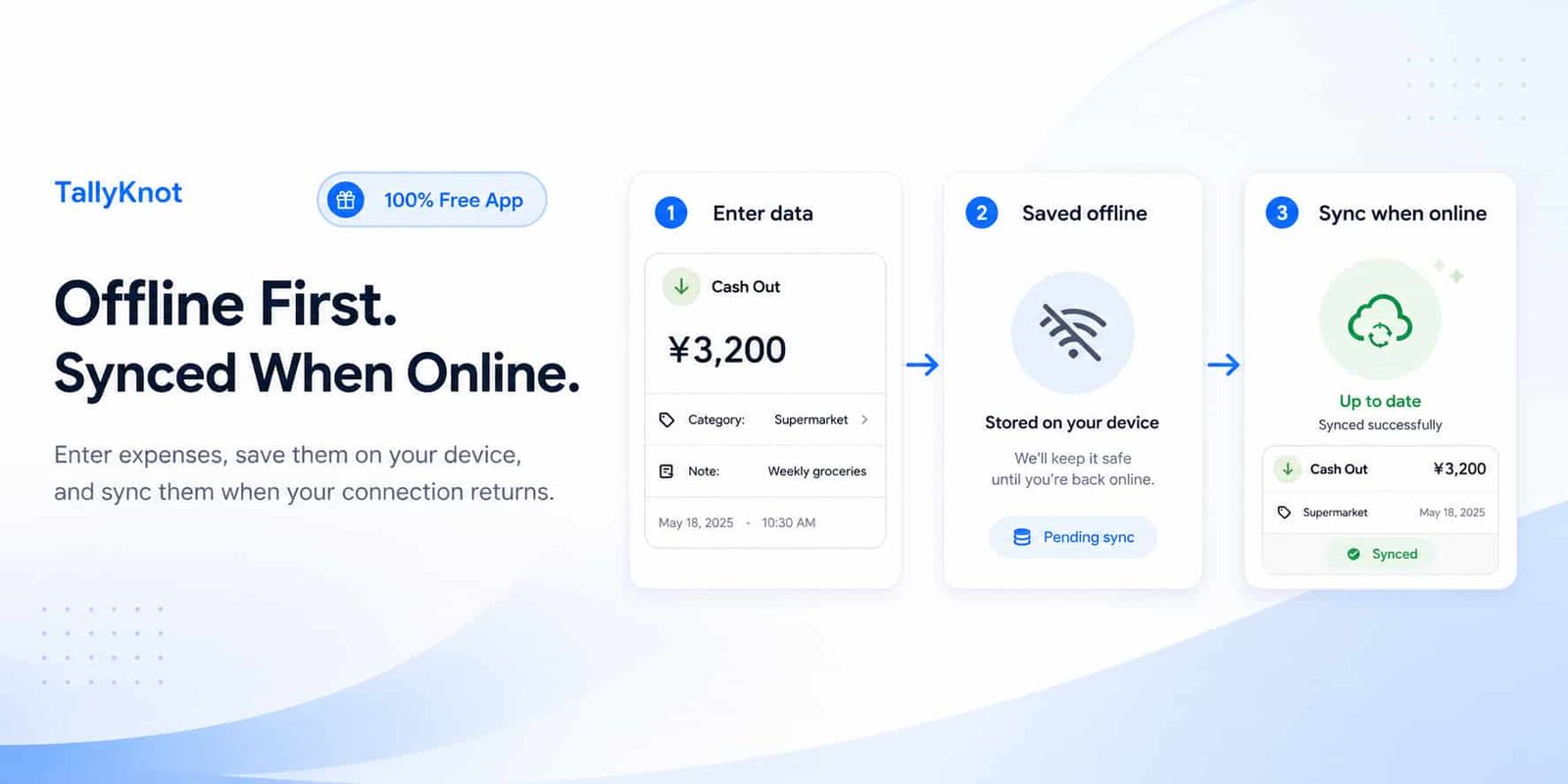
Money does not only move when your phone has a good internet connection.
You might pay for groceries in a place with weak reception, record an expense while travelling, or lose your connection halfway through the day. An expense tracker becomes much less useful if every small transaction has to wait for the internet before it can be recorded.
TallyKnot is designed differently. Your account keeps an online version of your synchronized ledger data, while your Android device also keeps a local working copy of the information it needs.
That combination gives TallyKnot two useful abilities: your ledger data is not meant to live only on one phone, and supported everyday work can continue when that phone temporarily goes offline.
You do not need to understand the technical side of synchronization to use the app. In this guide, we'll explain what actually happens in normal situations and what words such as offline, online and synchronize mean when you use TallyKnot.
Your TallyKnot data is not meant to stay on only one phone
Let's start with an important point.
TallyKnot is not simply a notebook that stores everything permanently on one Android device and nowhere else.
Once your changes have synchronized, the online version is connected to your TallyKnot account. That is what allows your available ledgers to be retrieved again when you sign in with the same account on another supported Android device.
Imagine that you normally use TallyKnot on Phone A.
You have a Home Expenses ledger and have been recording your transactions there. Later, you start using Phone B and sign in with the same TallyKnot account.
Phone B does not magically contain the local files from Phone A. Instead, TallyKnot can retrieve the synchronized account data available online and build the working copy needed on the new device.
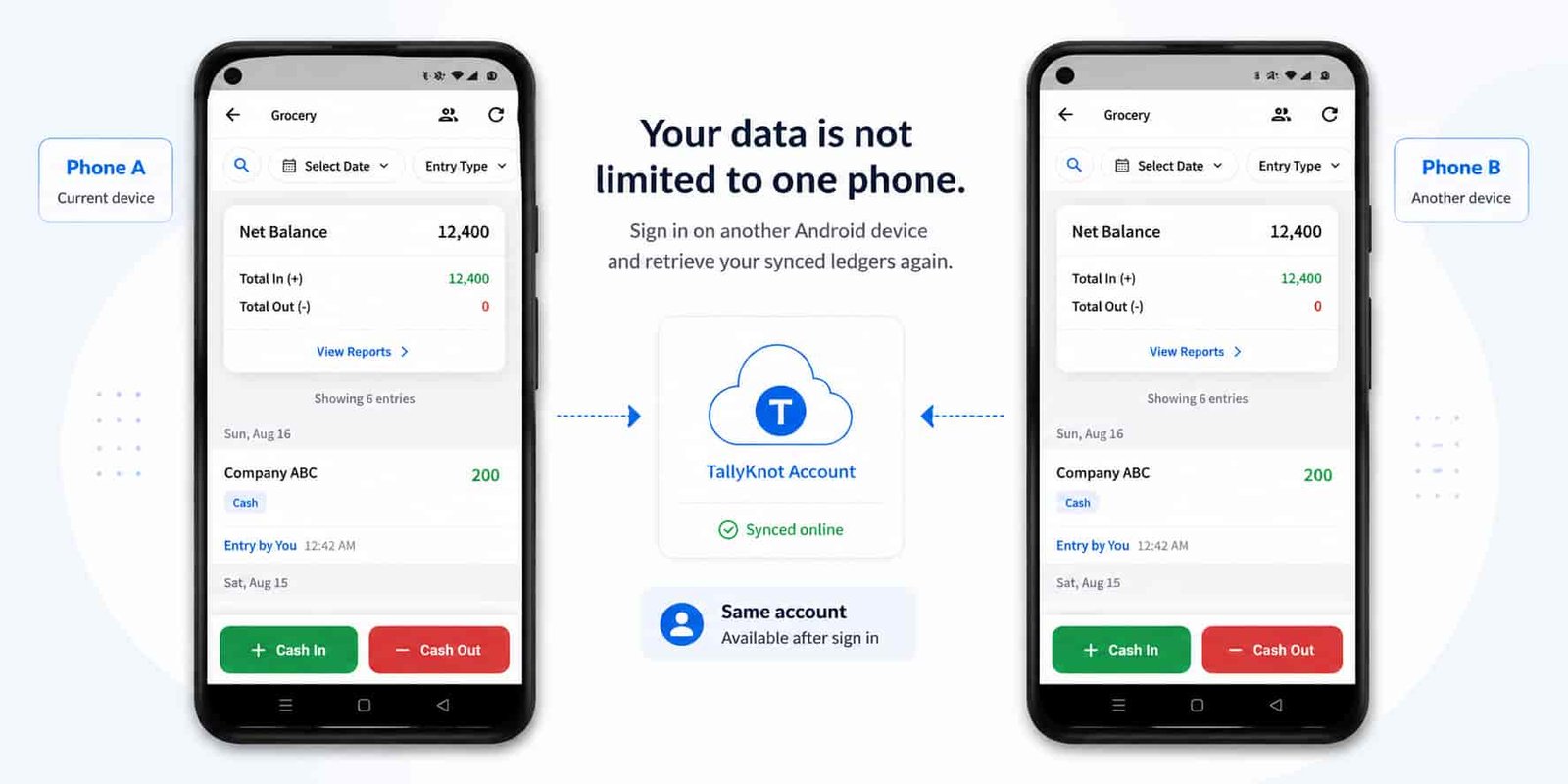
After your changes have been synchronized online, another Android device signed in with the same account can retrieve the ledgers available to that account instead of making you rebuild them from the beginning.
So why does TallyKnot also keep data on your phone?
If everything depended directly on the online copy, every action would need a working internet connection.
Imagine adding a ¥2,400 supermarket expense and then staring at a loading screen because your connection disappeared. Or imagine not being able to record it at all until you got home.
TallyKnot avoids making supported everyday actions depend entirely on that connection.
The app keeps a local working copy on your device. When you create or change supported financial data, TallyKnot can save that work locally first so it appears in the app without waiting for the server to respond.
This is what we mean when we describe TallyKnot as offline-first.
Offline-first does not mean your data only exists offline. It means losing your connection does not have to stop supported work that can safely be saved on your device first.
What happens when you are online?
When internet access is available, TallyKnot connects the local working copy on your phone with the latest information associated with your account online.
In simple terms, there are two directions involved:
- Changes waiting on your phone can be sent online.
- Newer changes available online can be brought back to your phone.
TallyKnot then updates the local information used by the app so you can continue working with the latest synchronized state.
That process is what we call synchronization, or simply sync.
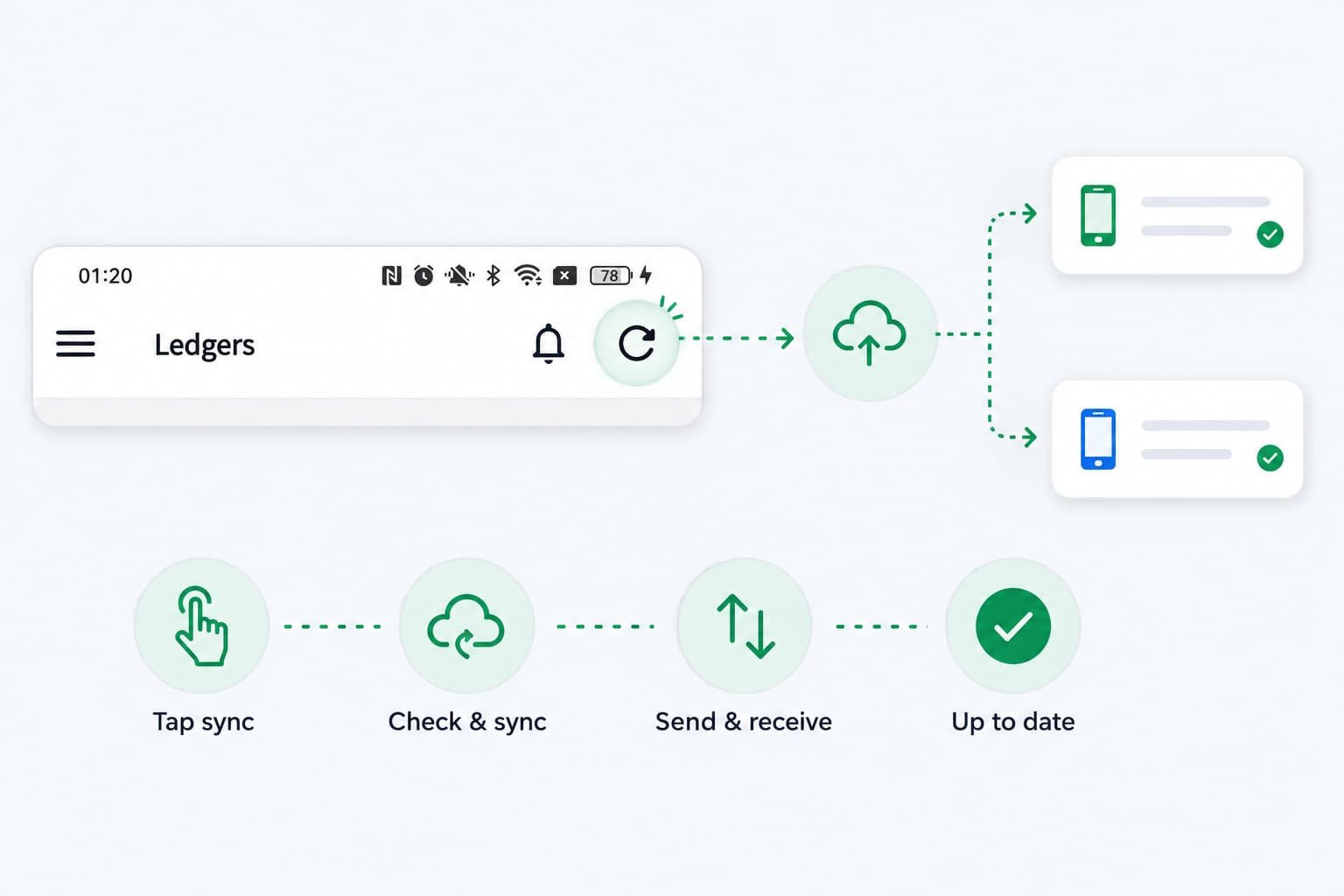
It means TallyKnot compares the work waiting on your device with the latest online information, sends supported pending changes, receives newer changes and updates the device so the two sides stay consistent.
What happens if the internet disappears?
Suppose you open your Home Expenses ledger while you have no internet connection.
You buy groceries for ¥3,200 and want to record the payment before you forget it.
For supported offline entry actions, TallyKnot does not need to throw away your work just because the connection is missing.
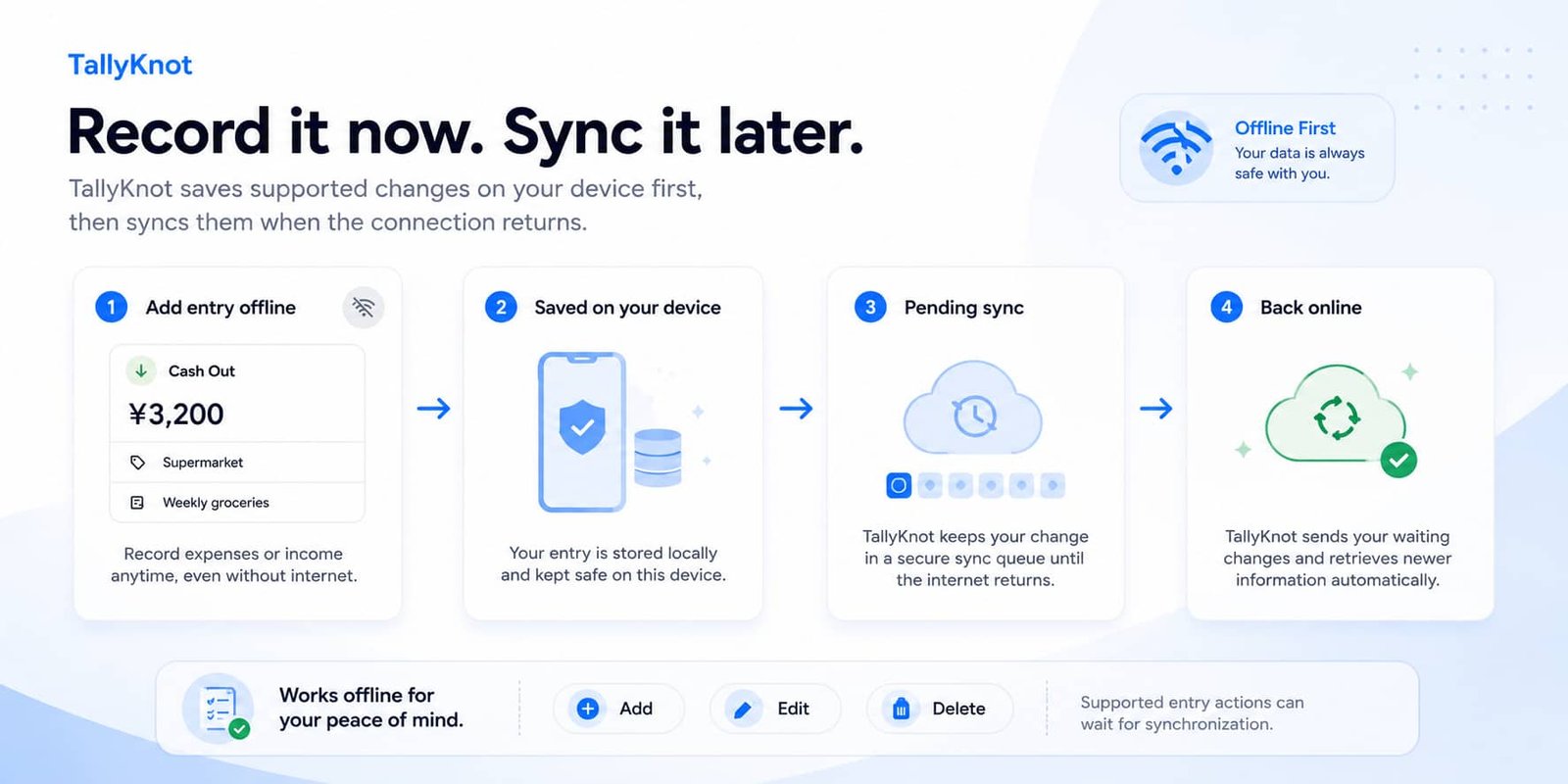
The entry can be saved on your device first and shown in the ledger immediately. TallyKnot remembers that the change still needs to be sent online.
From your point of view, you have recorded the expense and can continue using the app with the locally available data.
| What you do | What TallyKnot does |
|---|---|
| Add a supported entry while offline | Saves it on the device and keeps it waiting to synchronize. |
| Edit a supported entry while offline | Keeps your latest local change and marks it for later synchronization. |
| Delete a supported entry while offline | Removes it from the active local view and remembers that the deletion needs to be synchronized. |
| Internet returns | TallyKnot can send waiting changes and retrieve newer online information. |
What happens when you come back online?
You do not need to copy the offline transaction somewhere else and enter it again.
When connectivity returns, TallyKnot's synchronization system can process the work that has been waiting on the device.
The basic flow is:
- Your pending local changes are handled first.
- Successful changes are stored in the online version of the ledger.
- TallyKnot checks for newer changes from the online ledger.
- The local working copy is updated.
- Successfully synchronized work is no longer treated as pending.
To you, this should feel much simpler than the list above: you record something, temporarily lose the internet, and TallyKnot catches up when the connection is available again.
Why does TallyKnot send your waiting changes first?
There is an important reason for this.
Imagine that you changed an entry while your phone was offline. Your device now has work that the online copy does not know about yet.
It would be risky to simply download another copy from the internet and blindly replace the local entry. Your offline work could disappear before it ever had a chance to synchronize.
TallyKnot's synchronization design therefore protects pending local work instead of treating it like disposable cached data.
Waiting operations are processed before normal server-to-device entry updates. Once those pending changes have been handled, the app can retrieve the latest accepted online state and continue bringing the device up to date.
TallyKnot keeps track of supported changes that still need to synchronize. It does not intentionally discard a pending entry simply because a newer online check is being performed.
What if you use the same ledger from two devices?
This is where synchronization becomes more important than simply uploading a file.
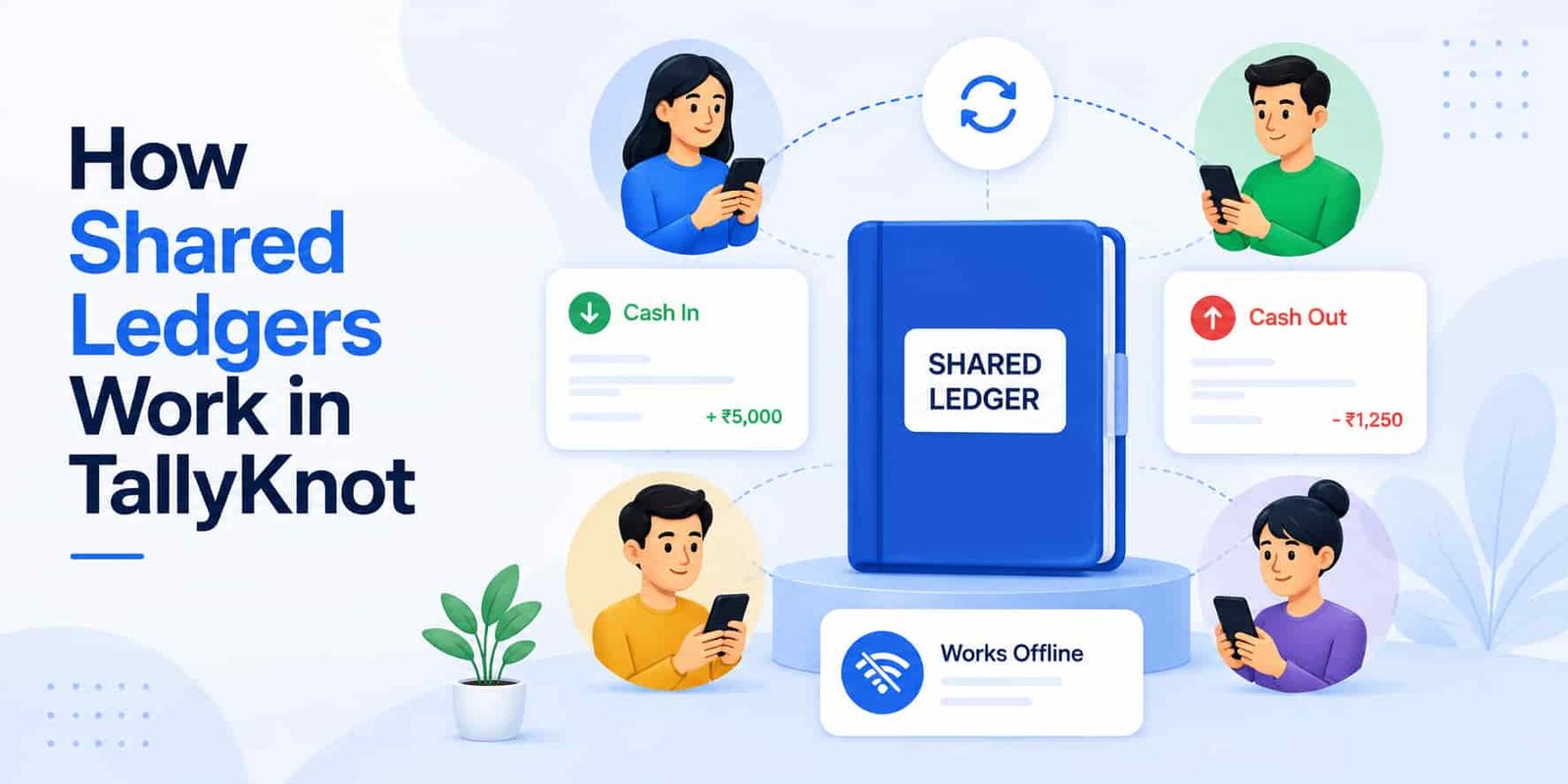
Suppose you use the same account on two Android devices, or you share a ledger with another TallyKnot member.
One device might change the ledger while another temporarily has an older local copy.
TallyKnot keeps versions and an ordered history of accepted entry changes so the app can understand which information is newer and which operations have already been processed.
You do not see those version numbers while using the app. They work behind the scenes to help prevent an old device from casually replacing a newer accepted change.
Synchronization also uses ordered ledger changes rather than downloading every transaction from the beginning each time. This helps the app determine what has changed since that device was last synchronized.
What if the same request gets sent twice?
Unreliable connections create another problem that most users never need to think about.
A phone can send a request successfully but lose its connection before receiving the confirmation. The phone may then need to retry.
For financial records, blindly performing the same request twice could be dangerous. One expense should not suddenly become two expenses because a network request was repeated.
TallyKnot's entry synchronization design gives a logical operation its own identity. If the same accepted operation has to be retried with the same information, the server can recognize that it has already been handled rather than applying the financial change a second time.
The system also needs to deal with retries, older device data, updates from other members and deletions without quietly duplicating transactions or producing incorrect totals.
Shared ledgers make synchronization even more useful
Offline support is useful even when you use TallyKnot alone, but shared ledgers make synchronization especially important.
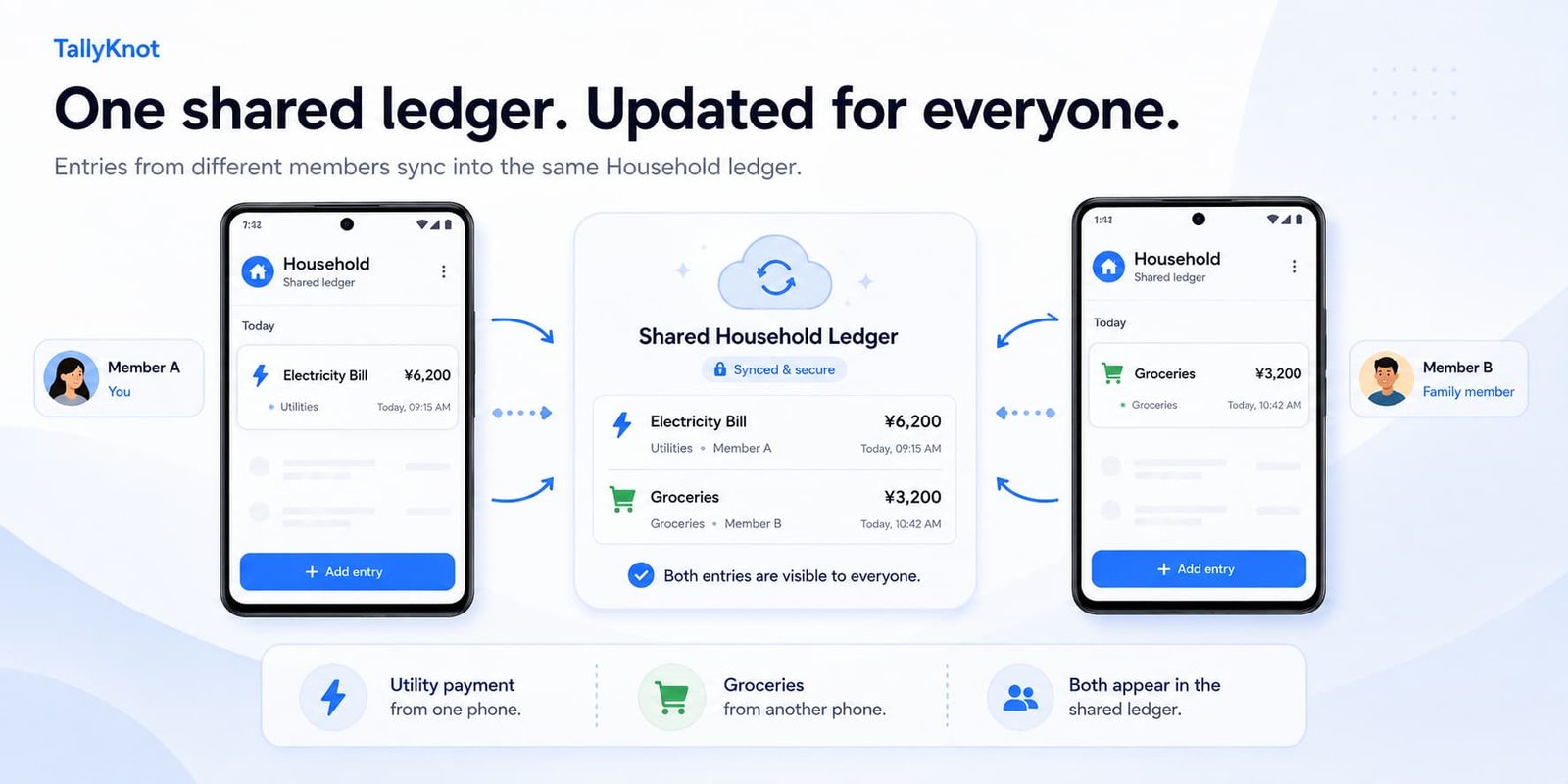
Imagine that two family members share a Household ledger.
One person records a utility payment from their phone. Another person records groceries from a different phone.
They should not have to send screenshots to each other or manually combine two separate lists.
Once their changes have been successfully synchronized, the shared online ledger provides the common state that authorized members can bring back to their own devices.
That means each person's local working copy can be refreshed with changes accepted from the other member instead of everyone maintaining a completely independent ledger.
What happens when you sign in on a new Android device?
A new device starts without the same local ledger cache that exists on your old phone.
After you sign in and the app has internet access, TallyKnot can retrieve the ledgers and membership information available to your account and create the local working state required on that device.
Entry data can then be brought down as the app initializes and synchronizes the ledgers you use.
This is why the online side of TallyKnot matters even though the app supports offline work.
Offline support gives you continuity when a connection is temporarily unavailable. Online synchronization is what helps make your account useful beyond a single local installation.
| Situation | What to expect |
|---|---|
| Your normal phone, online | Local and online changes can synchronize. |
| Your normal phone, offline | Locally available data remains usable and supported changes can wait for synchronization. |
| Internet comes back | Pending changes can be sent and newer online changes retrieved. |
| You sign in on another Android device | The device can retrieve the account's available synchronized ledgers and rebuild its own local working data. |
| Another member changes a shared ledger | The accepted online change can be downloaded by other members during synchronization. |
What is the sync button on the Home screen for?
Most synchronization should not require you to constantly think about it.
TallyKnot already runs its synchronization flow at important moments such as after login and when internet connectivity is restored.
There is also a refresh/sync button in the top-right area of the Home screen.
That button gives you a manual option when you want to ask TallyKnot to check again — for example, if you have just changed devices, another member has recently made changes, or something does not yet appear up to date.
You do not need to press it after every transaction.
Does every TallyKnot feature work offline?
No, and this is an important distinction.
TallyKnot is designed so important ledger and entry work can continue offline, but some actions naturally need the online account and server.
For example, categories that have already been downloaded can still be available for selecting on an offline entry. However, creating a new category, renaming a category or deleting one requires an internet connection.
Member and invitation actions also depend on online account information, so you should expect those kinds of collaborative account changes to need connectivity.
TallyKnot keeps supported everyday ledger work available without a constant connection, while actions that need current online account, member or shared configuration information may require internet access.
What can you do with data already available on the device?
When you go offline, TallyKnot works with the local information that has already been saved or synchronized to that Android device.
That means offline mode should not be confused with downloading your entire account history for the first time without internet.
If you install TallyKnot on a completely new phone, the device first needs an internet connection to sign in and retrieve the account information it does not yet have.
Likewise, very old transaction history that has not been kept in the current device's local cache may require connectivity when you request it.
The useful distinction is:
- Already available locally: can continue supporting the app's offline workflow.
- Only available online and never downloaded to this device: requires a connection before this device can access it.
Why not simply require internet all the time?
Requiring a permanent internet connection would make the architecture simpler, but it would make everyday expense tracking less practical.
Financial records are often easiest to enter close to the moment they happen.
You may be:
- inside a supermarket with poor reception,
- travelling between locations,
- using a temporary or unstable connection,
- working somewhere without Wi-Fi, or
- simply experiencing a short network interruption.
Waiting until later increases the chance that you forget the amount, lose the receipt or cannot remember exactly what the transaction was for.
An offline cashbook app is useful because recording the transaction and sending it to the internet do not have to happen at exactly the same second.
TallyKnot can let the device handle the first part immediately and synchronization handle the second part when connectivity allows it.
A simple example from beginning to end
Suppose you share a Household ledger with another family member.
- In the morning, your phone is online and the ledger is up to date.
- You leave home and temporarily lose internet access.
- You spend ¥3,200 at a supermarket.
- You add that Cash Out to TallyKnot.
- The entry is saved locally and appears in your ledger.
- Your phone reconnects later.
- TallyKnot processes the pending change and synchronizes it online.
- Your family member synchronizes the shared ledger on their device.
- The accepted supermarket transaction becomes part of the shared ledger data available to them as well.
From your perspective, the important part is simple: you recorded the expense when it happened instead of waiting for the network.
Offline when you need it, online when it matters
TallyKnot's goal is not to make you choose between an offline app and an online account.
Both have a purpose.
The local copy on your Android device helps TallyKnot stay responsive and continue supporting important ledger work when connectivity is unavailable.
The online synchronized copy allows your account data to move beyond one phone, keeps shared ledgers connected and provides the common state that other authorized devices can retrieve.
When you are offline, supported changes can wait safely on the device. When you come back online, TallyKnot can send those pending changes, retrieve newer information and bring the local ledger back toward the latest synchronized state.
You should not have to think about servers, versions or synchronization sequences while recording an expense. You should simply be able to record the money when it happens and let TallyKnot handle the connection when it is available.